Account and security
Sync and devices
See how offline changes reach your other devices, how to check sync, and what happens when two devices edit the same link.
Each browser or app holds a local copy of your links. You can browse and search it offline, and changes you make while disconnected wait on that device until it reconnects. Opening a link’s web page still needs a connection.
Use another device
Sign in with the same username and password. The first sync downloads your encrypted files, opens them on that device, and builds its local copy. A later change is encrypted before upload, then downloaded by your other signed-in devices. The browser extension has its own session and local data, even alongside the web app in the same browser.
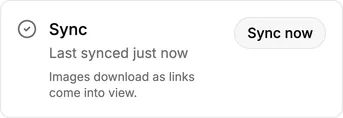
Check the sync indicator if a change hasn’t appeared elsewhere. A failed sync leaves this device’s local copy usable; reconnect and try again before you sign out or remove the app. Export can give you a separate readable copy, but it isn’t the live sync path.
When two devices change the same link
Different links, lists, and tags are separate encrypted files. If two devices edit the same link before either sees the other change, the later committed edit wins. There is no readable server copy to merge and no edit history to restore. A title or image fetched for a preview is kept separately from the title and note you write, so preview work doesn’t overwrite your own edit.
Layout and theme can be set to Sync or Device. Choose Device if you want a different arrangement on your phone and laptop.