Get started
Create an account
Choose a username and password, save a recovery code, and understand what you need to sign in again.
You need a username and a password. We don’t ask for an email address or a card to create an account.
Create your account
- Open the web app or the iPhone or Android app and choose Create account.
- Choose a username and password. The suggested password is a set of random words; you can use your own instead. Save it in a password manager or another place you can reach later.
- Save the recovery code when the app offers it. You can skip this step and make a code later in Settings → Account, but until you do, your password is the only way back in.
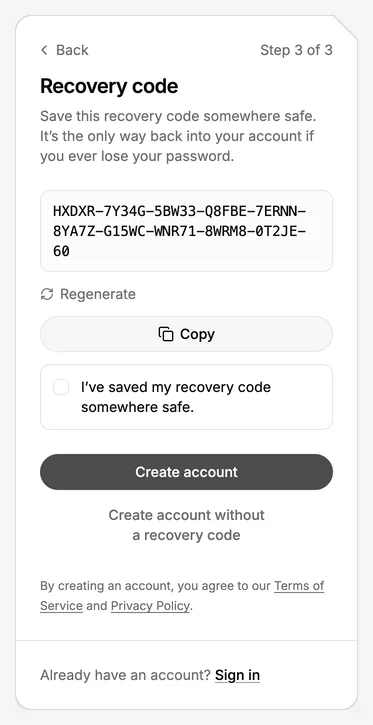
Your username and password open the same encrypted data on each device. The password doesn’t reach our servers. We cannot send a reset link or recover the account if both the password and recovery code are lost. See what to do if you lose your password.
Keep the two ways in separate places
Keep the recovery code apart from your password — for example, keep the password in a password manager and print the code. Anyone with either one can sign in to your account. You can replace the code later while you still have access to an account door.